
 Flowvent Schools
Every class, teacher and term. One place.
Admissions, fees, attendance, timetables and report cards for a school with one class or fifty. Teachers see their classes, parents see their children, and nothing needs installing.

1
system for the whole school
6
kinds of user, each with their own view
4
report-card layouts
0
installs. It runs in a browser
Who uses it
Four people. Four views. One set of records.
Fees, attendance and grades stop living in different places. Everyone shares the same records and sees only what concerns them.
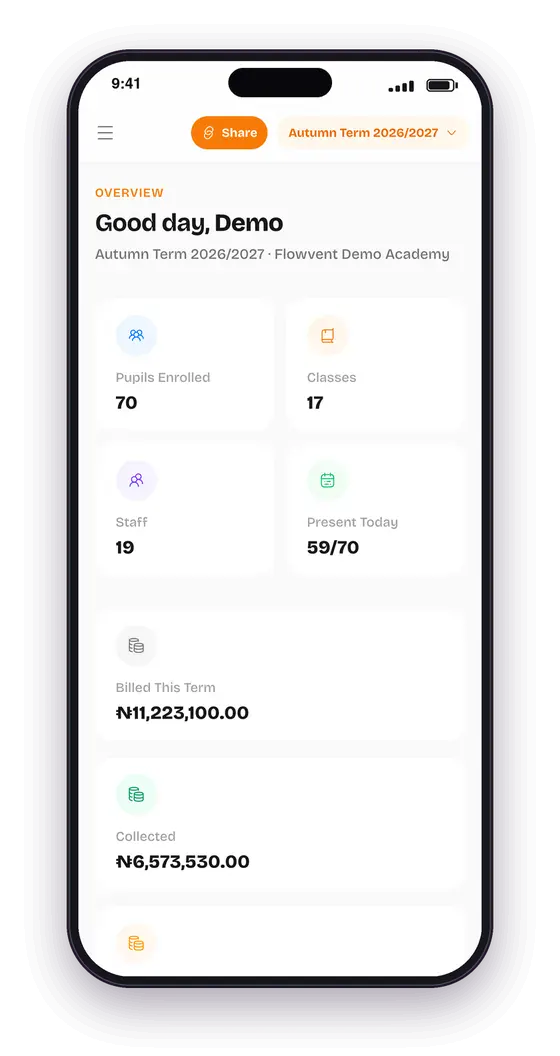
The school admin
Runs the whole school: staff, classes, fees, results and settings.
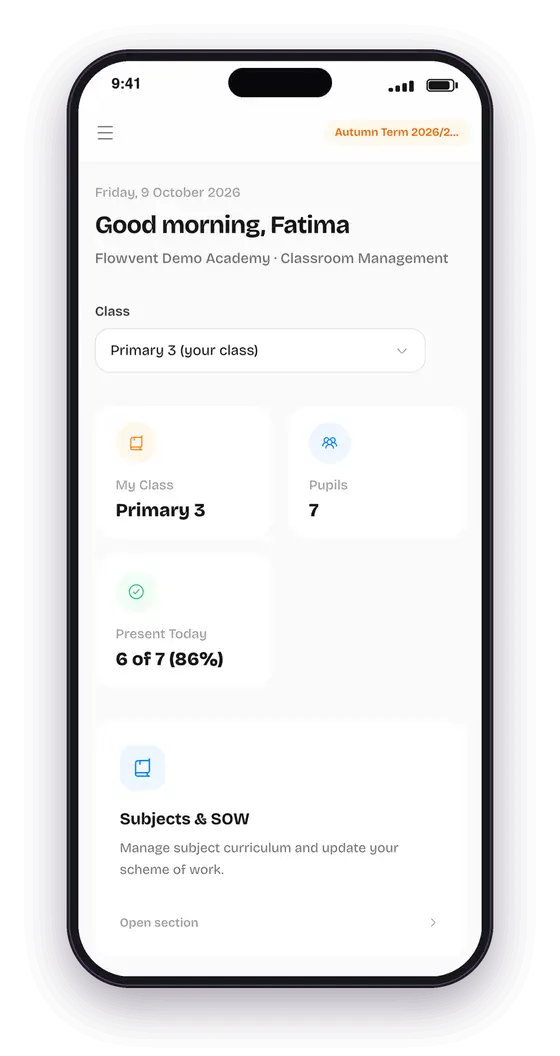
The teacher
Works inside their own classes: register, scores and timetable.
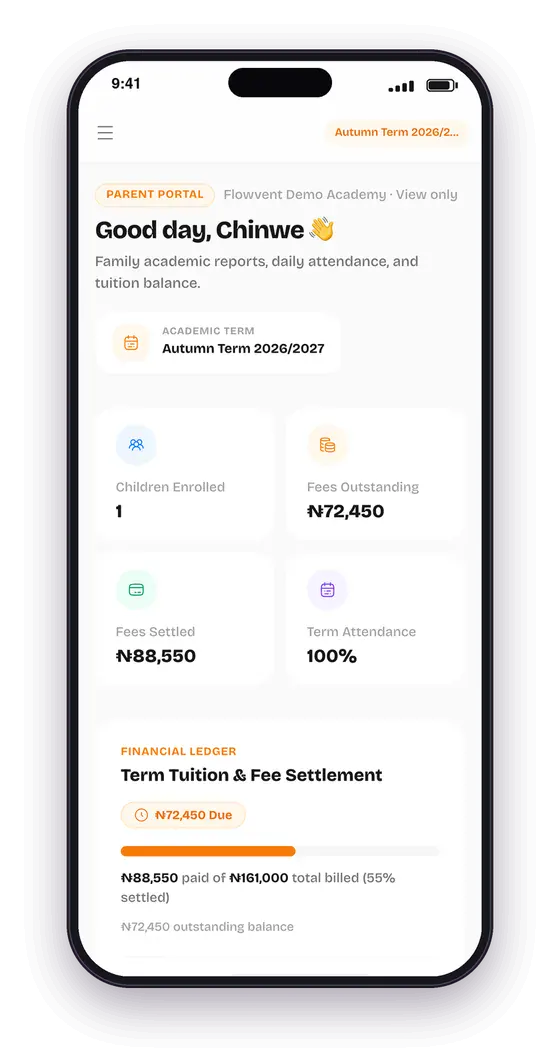
The parent
Sees only their own children: fees, attendance and report cards.
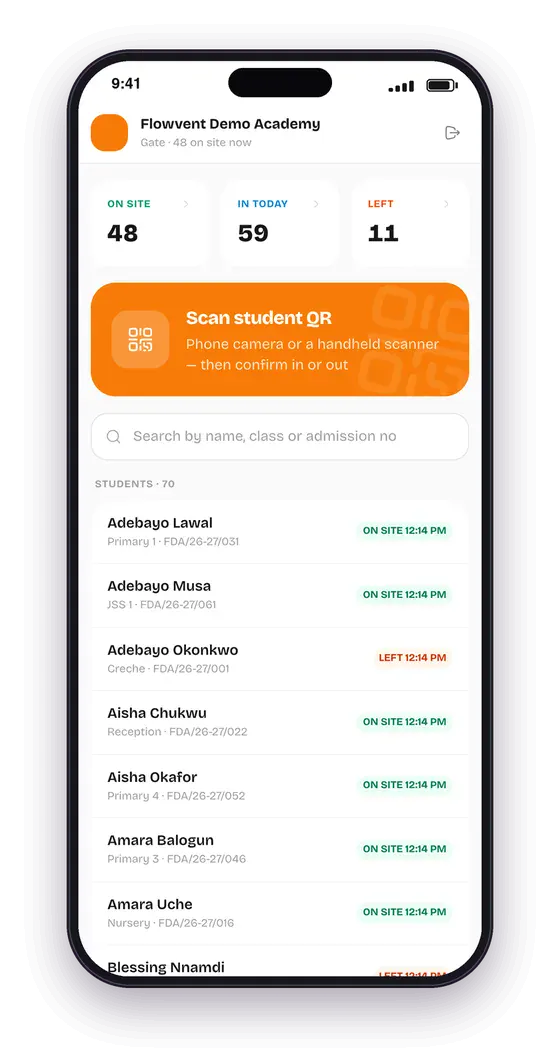
The gate
Scans children in and out and sees who is on site.
Walkthrough
From a new pupil to a report card in a parent’s hand.
Every picture below is the real app, with a demo school’s data.
01 · Admission
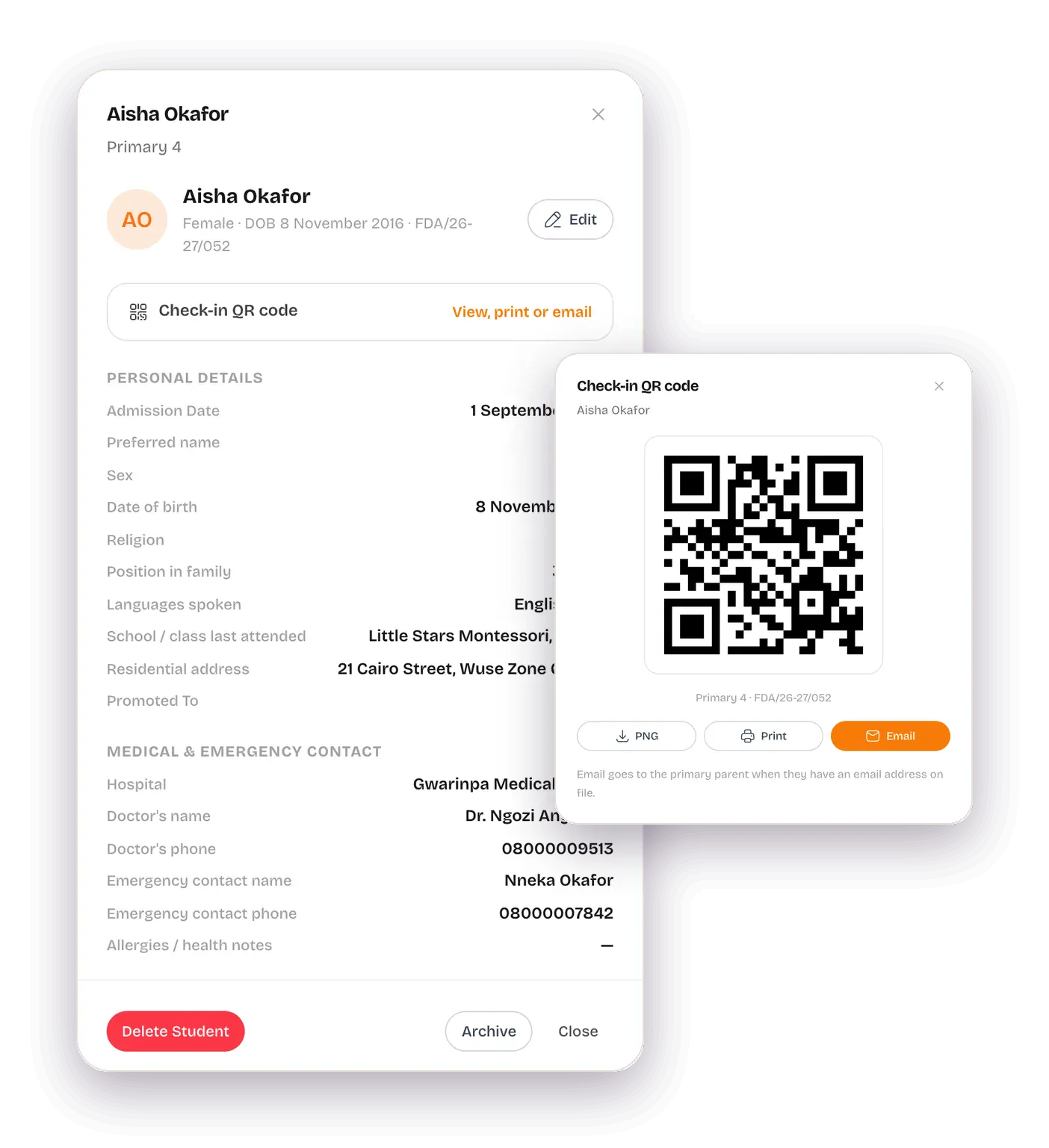
Every child starts with a parent.
A pupil cannot be added without a parent attached, so every child is linked to the person responsible from day one.
- Student number and a personal QR code are made automatically and emailed to the parent.
- Up to three authorised pick-up people for each child.
- Switch admission-form fields on, off or rename them to suit your school.
02 · Gate
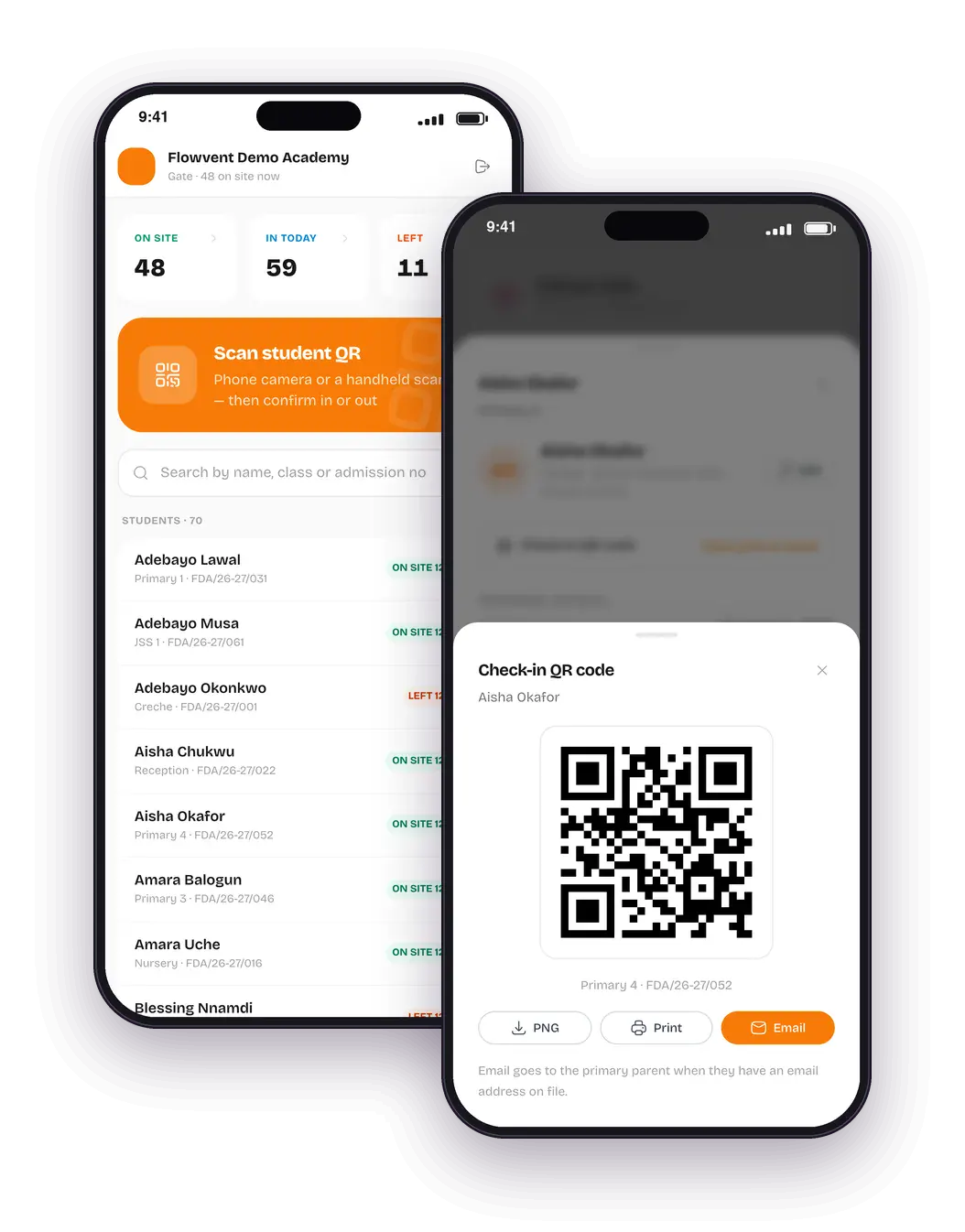
Know who is in school.
Gate staff scan a child’s QR code in the morning and out in the afternoon. The class register is a separate, simple tap.
- A live board of who is on site, who came in and who has left.
- Teachers mark present, absent, late or excused, and can look back through earlier days.
- Gate staff sign in with a private link. No passwords to lose.
03 · Classes
Primary 3 A, B and C. Set up once.
Create parallel classes of a grade in one go, and copy the subjects and this term’s fees from a class you already have.
- Arms and streams: Primary 5 A and B, JSS 2 Gold and Silver, SSS Science, Art and Commercial.
- Electives: only the pupils who take French get French on their report card.
- Each class gets its own grading style and report-card layout.

04 · Teachers
One teacher, many classes.
Give a teacher Mathematics in 3A, 3B and 3C with a few taps. They get a class switcher, and see exactly what they should.
- In their own class, a teacher does everything: register, scores, remarks.
- In a class they only visit, they see and grade just their own subject.
- The head teacher oversees grades across every class.

05 · Timetable
The school week, without the clashes.
Set the school day once, then fill each class’s week. A teacher cannot be put in two classrooms at the same time.
- If a lesson clashes, it tells you who is already teaching where.
- Each teacher sees their own week across every class they teach.
- Parents can see their child’s timetable too.

06 · Fees
See who has paid, at a glance.
The fee record is a grid: pupils down the page, fee items across. Tap a cell to record a payment.
- Part payments, discounts and waivers, each with a record of who did it.
- Parents see what is owed, what is paid and what is waived.
- Parents can tell the school about a bank transfer for the accountant to confirm.

07 · Results
Enter scores once. Report cards everywhere.
Continuous assessment and exam scores are entered by subject. Report cards, grades and parent views all read from them.
- Four layouts, from Playgroup skills checklists to Secondary A1–F9, each as a real PDF.
- Teachers can enter grades only while you keep the grade window open.
- Parents see nothing until you release results, and you can hold back unpaid fees.

Also included
The details a real school needs.
A record of every change
Who changed what, when, and the value before and after.
No passwords for staff or parents
Teachers, parents and the gate each sign in with a private link.
Teacher permissions
Choose whether teachers may add students and parents, school-wide or one by one.
Grade window and term lock
Close a term and its records are locked, apart from you.
Bring a class in from a spreadsheet
Add a whole class at once instead of typing child by child.
Names your way
Full name, or first, middle and last, whichever your school uses.
Report cards that fit each level
Columns, grade bands and layout come from each class’s settings.
Each person sees their part
Admin, head teacher, teacher, accountant, gate and parent have separate views.
Not a prototype
Real software, in daily use.
Report cards that fit each class
Columns, grade bands and layout come from each class’s settings: four layouts from Playgroup skills checklists to Secondary A1–F9, and every card downloads as a real PDF.
Live at school.flowvent.app
In daily use on phones, tablets and laptops. Admin, teacher, parent and gate each get their own view of the same records.
A demo academy to explore
A fully set-up demo school exists for walkthroughs, kept entirely apart from any real school’s data. Ask us for a guided tour.
Talk To A Real Person, Not A Bot.
Setting up your first event, migrating from spreadsheets, or configuring school report cards — our team answers in minutes.
Or start building free instantly — no call needed