
 Flowvent Track
Know where your child is. Right now.
A GPS tracker with its own SIM card, and an app on your phone: live location, safe zones, and an alert when the tracker leaves one.
Flowvent Track tells you where a tracker is. It does not replace supervision, school security or the emergency services, and it depends on the tracker being charged and having GPS and network coverage.
Live
map with battery, speed and last-seen time
5 km
widest safe zone, and as small as 50 metres
~10 s
refresh of a school’s live trip map
1 each
tracker per child, with its own zone
Walkthrough
From the box to a live map in a few minutes.
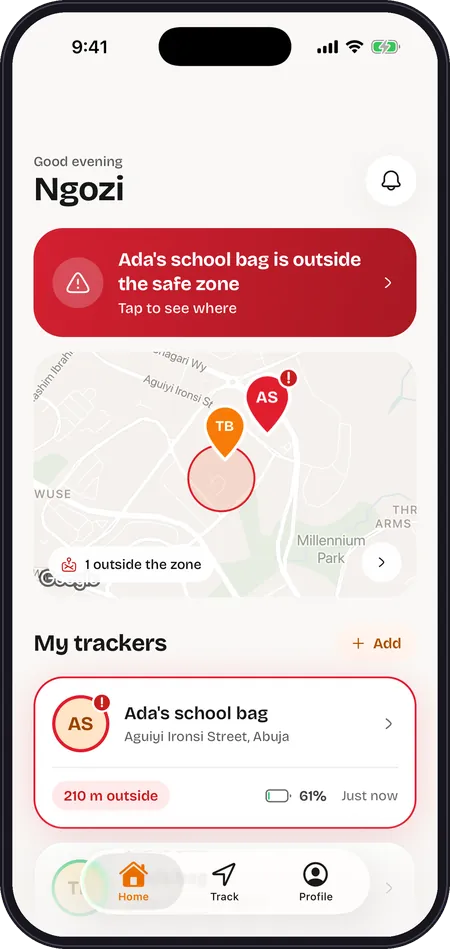
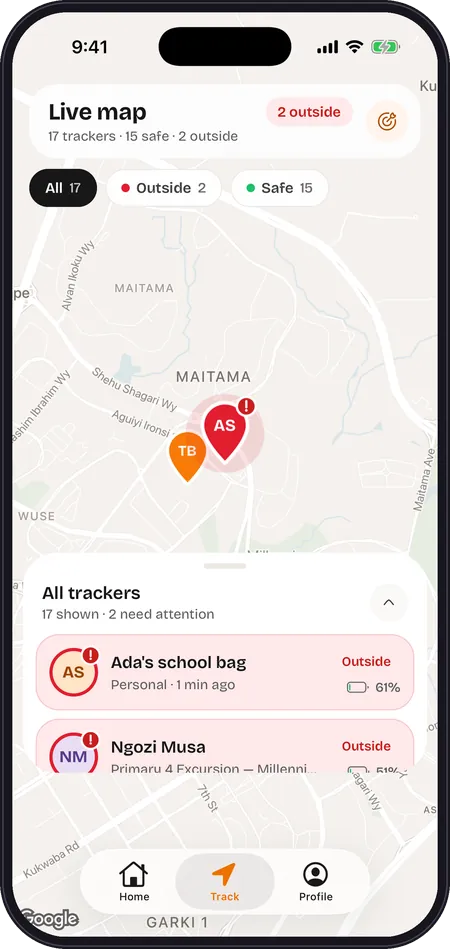
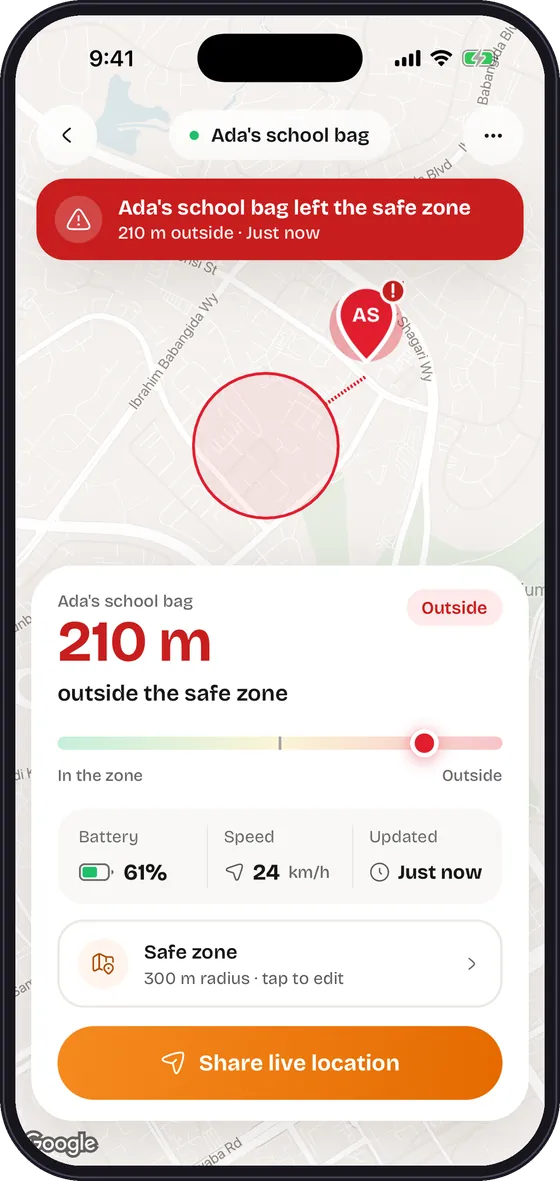
Every picture below is the real app, with demo data and public Abuja landmarks.
01 · Live map
See where they are, right now.
The tracker finds its GPS position and sends it over its own SIM card. The app shows it on a map, moving as it moves.
- Battery level, speed, direction and last-seen time at a glance.
- A “Live” badge when the tracker has reported in the last five minutes, and its last known position when it has not.

02 · Safe zones
Draw a zone. Know when it’s left.
A safe zone is a circle on the map. You choose the centre and how wide it is.
- Tap the map, search for an address, use your own location, or centre it on the tracker.
- A radius from 50 metres to 5 kilometres.

03 · Alerts
Be told when they leave.
When the tracker moves outside its safe zone, your phone gets an alert, and the tracker’s map opens at its current position.
- Alerts are listed under the bell on the home screen.
- Keep notifications on, check the map first, then call.

04 · Share live
Let someone you trust follow a journey.
On a long trip, or when a child travels without you, share a live link from the tracker’s screen. It opens from WhatsApp, SMS or any other app.
- The link carries a private token for that one tracker, and can be set to expire.
- Anyone holding the link can see the position until it lapses, so share it only with people you trust.
05 · For schools
A live map for every school trip.
Schools add a second layer for trips, excursions and events, in their own workspace in the same app.
- “N / M inside safe zone” at the top, and a red banner that names a child who has left it.
- The trip map refreshes about every ten seconds.

Also included
The details parents and schools ask about.
Add a tracker by IMEI
Type the 15-digit IMEI printed on the device and give it a name such as “Tolu’s bag”.
One card per child
Each tracker has its own card, safe zone and live map. Press and hold a card to unlink it.
Parents and schools, one app
Personal accounts for families, and school workspaces for staff, with a switcher between them.
Push alerts
Alerts reach your phone through its normal notifications. Keep them switched on.
Share Live links
A private link for one tracker, for someone you trust to follow a journey.
Location asked for only when needed
The app asks for your phone’s location only for “My location” in the safe-zone picker.
Delete your account
Profile, then Delete account. Sign-in tokens are kept in the phone’s secure store and removed on sign-out.
Honest about coverage
The app and the tracker need mobile coverage. If the tracker loses signal, the app shows its last-seen position and time.
Not a mockup
A real app, on a real store.
A dedicated app
Flowvent Track is its own app, built for one job: showing where a tracker is, and telling you when it leaves a place you chose.
On Google Play
The Android app is published on Google Play. Add your tracker by its IMEI and you are looking at a live map in minutes.
For parents and for schools
Parents add trackers and set safe zones. Schools get a live trip map in the same app, in their own workspace.
Talk To A Real Person, Not A Bot.
Setting up your first event, migrating from spreadsheets, or configuring school report cards — our team answers in minutes.
Or start building free instantly — no call needed